Home Office Cable Management That Survives a Sit-Stand Desk
Build one flexible route with service loops instead of hiding each cord separately.
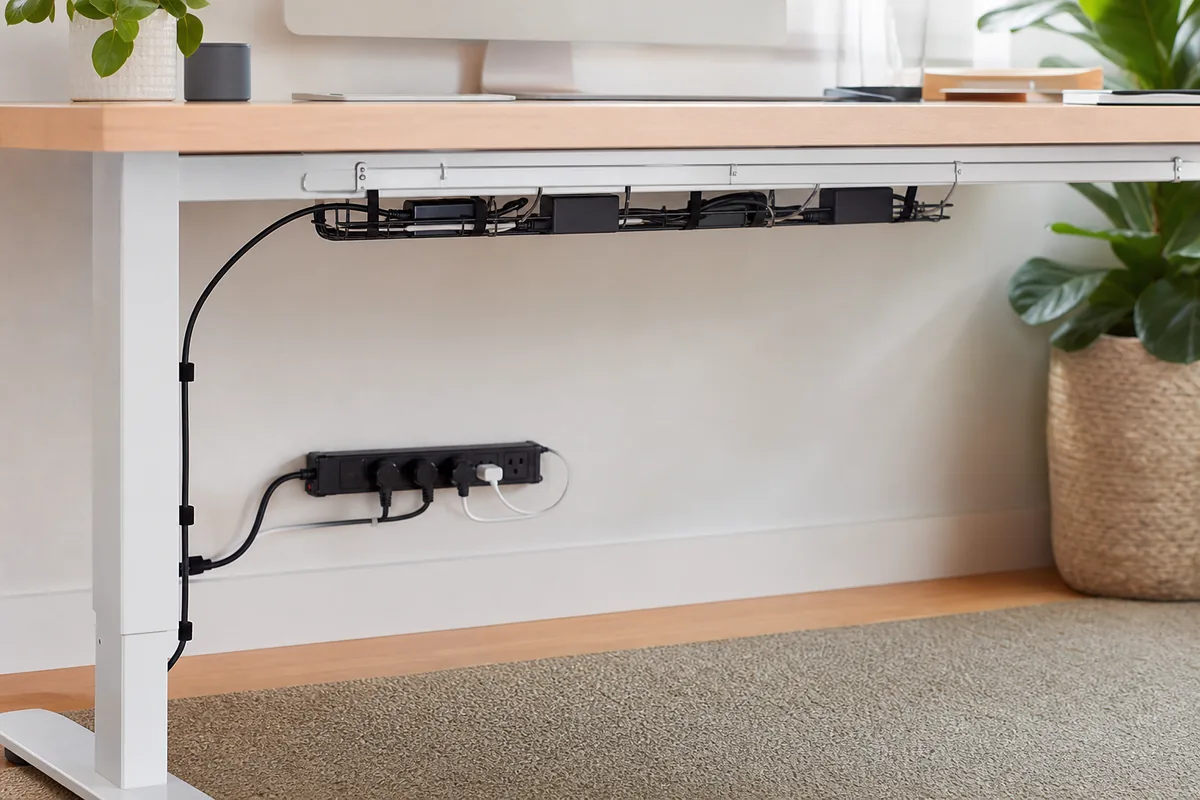
The desk rises for the first call and a power brick lifts off the floor. Later, a new webcam joins the setup and the tightly hidden bundle must be dismantled. Good cable management supports change and safe movement.
Mount the power point to the moving desk when appropriate, create one protected cable drop, and leave a tested service loop for full desk travel.
Measure the Room You Actually Use
Raise the desk fully and measure the longest connection path. Note moving joints, heat vents, sharp edges, and the location of wall power.
What Matters Before You Compare Products
- Strain relief at plugs and moving points
- Access for replacing one device
- Airflow around power supplies and equipment
A useful shortlist should solve a specific routine rather than chase the longest feature list. The three formats below cover different household patterns; none is automatically best for everyone.
Three Smart Ways to Shop This Category
Under-desk cable tray
It supports heavy components off the floor and keeps them accessible.
Tradeoff: Mounting must suit the desktop construction.
Browse current optionsReusable hook-and-loop ties
They open without cutting and can bundle by route.
Tradeoff: Overtightening can still stress delicate cables.
Browse current optionsFlexible cable spine
It guides the drop as the desk changes height.
Tradeoff: It remains visible and needs a stable attachment.
Browse current optionsA Practical Plan Before Checkout
- Disconnect and identify every cable before bundling.
- Test the full height range slowly while watching slack.
- Keep power equipment ventilated and follow manufacturer guidance.
Common Buying Mistakes
- Mounting hardware into a hollow desktop without verification
- Bundling cords so tightly that one cannot be replaced
- Routing cables through pinch points or hot areas
The PickAbode Verdict
A tray, reusable ties, and one guided drop solve most desks. The goal is controlled movement and serviceability, not making every cable disappear.
Before purchasing, confirm current dimensions, materials, care instructions, delivery terms, returns, warranty, and availability on the retailer or manufacturer page. Product listings and inventory can change after this guide is updated.
Frequently Asked Questions
Can a power strip be mounted under a desk?
Only when its instructions and mounting method allow it; keep switches, plugs, and ventilation accessible.
Should power and data cables be separated?
Follow device and electrical guidance, especially for sensitive equipment and local requirements.
How much slack is enough?
Enough for the full movement path without tension or loops that can catch; test physically rather than guessing.